


What goes on a steakhouse specials poster
- 1The cut and its weight
- A steak is sold by cut and by weight, so both go in the name: "Rump 300g", "Sirloin 200g", "Pork ribs 500g". A diner compares grams before anything else, and a poster that leaves the weight out starts an argument at the table.
- 2What comes with it
- Chips or salad, a sauce, onion rings: say what is on the plate in the same line, "with chips or salad". If a sauce is charged for, give it a special of its own, or leave it for the menu.
- 3A day for each special
- Steakhouses run a cut a day: steak on Monday, ribs midweek, a roast on Sunday. Press Change the days for a special and tap its day. The poster writes the day in words over the dish, so the same picture works every week.
- 4Price on a badge
- In the Steakhouse card look each price is drawn on a round badge beside its cut. A plain amount fits a circle. An offer in words, such as a percentage off, is drawn on a wider badge sized to the words, so nothing is squeezed.
- 5Sit down only, and other conditions
- The box for where you are and when you are open takes one short line of up to two rows: "Sit down only", "While stocks last", "Bookings by phone". Write the condition you will really apply. It is drawn at the foot, above your phone number.
- 6Per person, for a buffet or set menu
- For a Sunday lunch or a set menu charged by the head, type the price with "p.p." after it. The maker keeps the amount whole and sets the "p.p." small beside it. The courses themselves can go in the name, in a few words.
- 7The full grill menu
- For steaks, burgers, sides, sauces and puddings in sections, open All options and choose Menu or price list at the top. The same looks draw it, with the weights in the names and dotted lines to the prices.
- 8A photo of the plate
- A steak photographed at the table under warm light goes brown and flat. Take it by a window in daylight, from above or at a low angle, and let one plate fill the frame. The Photo and Split looks appear once you add a photo.
Steakhouse specials design ideas
Six ways one week of steakhouse specials can look: pale cards with round badges, dark cards with serif type, and two built round a photo. Tap one to start from it.
- Steakhouse card look, tall shape
- Steakhouse card is a cream card with maroon slab capitals, and every price sits on a round maroon badge beside its cut. It is drawn from the weekday posters of independent steakhouses, where the day and the weight lead.
- Dark and serif look, tall shape
- Dark and serif is near black with one thin gold frame, serif names and gold figures. It is the evening look, the one for a set menu or a Sunday roast at a sit-down grill.
- Split look with a photo, square
- Split gives the top of a square to your photo and the rest to the list. The photo here is a stock picture of a steak that comes with the page; add your own and it is used instead.
- Steakhouse card look in red, square
- The card in a brighter red, on a square for a post. Four specials fit in rows, a badge to each.
- Dark and serif look in wine, A4 to print
- The same dark card in wine red, set for A4. Printed and framed by the door it reads as a specials board for the week.
- Photo look, A4 to print
- The Photo look puts your own picture of the grill or a plate across the page and the specials on cards under it. Again the steak shown is the stock picture.
A week of specials, step by step
The pictures above come from four specials. Rump with chips or salad has only Monday tapped. Pork ribs has Wednesday. The T-bone with a sauce has Friday and Saturday, which the poster writes as "Fri & Sat". The Sunday roast has Sunday. The line at the foot says the specials are for sitting down and that bookings are by phone.
Tips
- Grams first, then the side: "Rump 300g with chips" reads faster than a sentence.
- Give each special one day or one run of days. A special that runs all week needs no day at all.
- Four specials fill the tall shape well. Up to eight fit, and a square holds five.
- If a price is for two people, say "for 2" in the name, not only in your caption.
- Change the cut, keep the look: a week later, type over the names and save again.
Sizes and printing
- Tall, for WhatsApp Status
- Tall like a phone screen. Best for WhatsApp Status and for Stories.
- Square, for a post
- Square. Best for a post on Facebook or Instagram.
- Printer page (A4)
- A4 is the size of a normal printer page. Print it at home or at a print shop. A home printer leaves a thin white edge.
- Half page (A5)
- A5 is half of a normal printer page. Good for a counter. A home printer leaves a thin white edge.
Questions
- Can I make a full steakhouse menu here too?
- Yes. Open All options and choose Menu or price list at the top and type your grills, sides, sauces and puddings in sections. Nothing typed for the specials is lost when you switch back.
- How do I show a price per person?
- Type the amount and then "p.p." in the price box. The picture keeps the amount whole and sets "p.p." small beside it.
- Can I write "20% off all steaks" as the price?
- Yes. The price box takes an offer in your own words. It is drawn on a badge wide enough for the words, never cut short.
- Can the poster show a starter, main and pudding as courses?
- Not as separate courses. Each special is one line with one price. Put the courses in the name in a few words, or make the set menu as a short menu with a section for each course.
- Do I need a photo?
- No. The Steakhouse card and the Dark and serif looks need only words. The Photo, Circle and Split looks are built round a picture and appear once you add one.
What you type is kept in this browser on this device until you clear your browser data, so you can come back, change a price and save a new picture. A photo and a logo are optional and are not kept for the next visit.
Closest to this one
 Grill house menu
Chicken, ribs and family packs to take away are a grill house menu, not a specials poster.
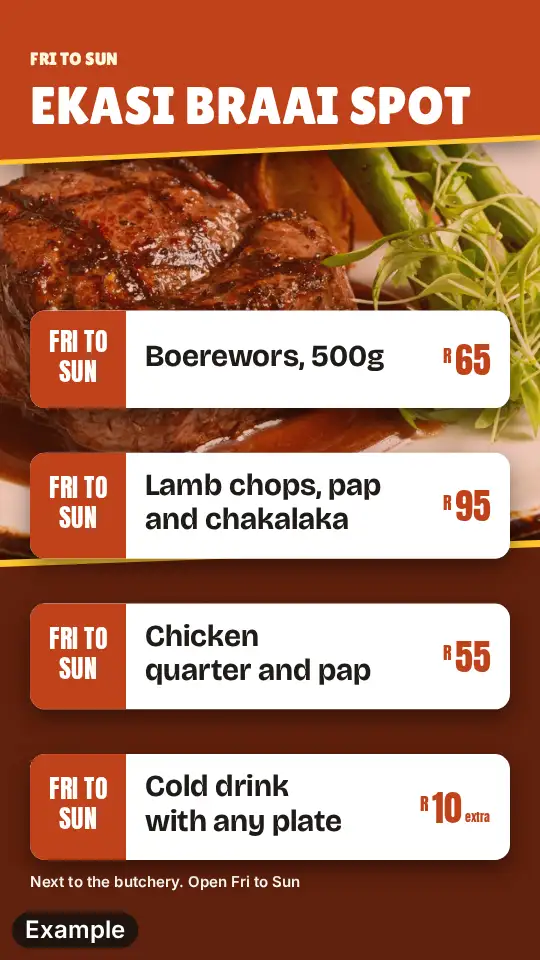 Shisa nyama poster
Meat sold off an open fire by weight is a shisa nyama poster, dark wood and gold.
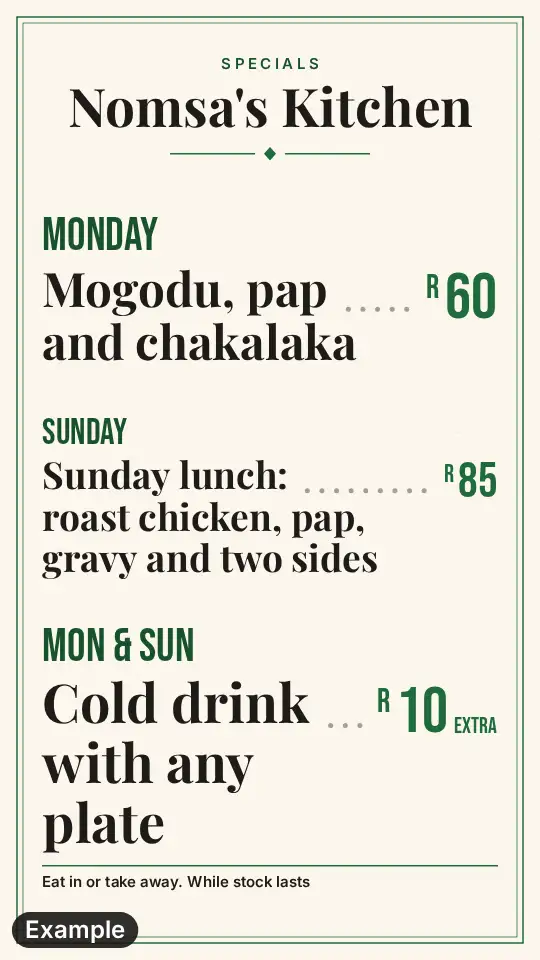 Lunch special poster
One lunch dish on one day, a Sunday roast or a weekday plate, has a simpler poster.
 Pub specials poster
If the steak night is one of seven, the pub poster lays the whole week out by day.