


What goes on a hot dog menu
- 1Hot dogs first
- Put the hot dogs at the top, since they sell most. Then the boerewors rolls, the extras and the drinks, so a customer finds the main thing before anything else.
- 2Name the filling
- Write the filling in the name: "Cheese hot dog", "Chilli hot dog". A buyer reads the name and knows what goes in the roll without asking.
- 3Boerewors on its own line
- A boerewors roll is a different food with a different price, so it gets a section of its own, with the roll and its price on each line.
- 4Extras added on
- Cheese, fried onions and atchar cost a little more on top of the hot dog. Under All options, press Add a section, like Drinks, to give them a heading of their own, at the foot of the food.
- 5Drinks at the foot
- Cold drinks and water go in the last section, with the price at the right of each line.
- 6The price on the right
- Each price sits at the end of its line, so nobody has to read across a gap to find what a hot dog costs.
- 7Where the menu goes
- Print the printer page (A4) for the front of the cart and the half page (A5) for the counter. Post the tall picture on WhatsApp Status when the prices change.
Hot dog menu design ideas
Six ways one hot dog menu can look: a black board under a coral awning, a black and gold board, a red and yellow sign, the braai look, the stripes look and a cream card with a red frame. Tap a picture to start from it.
- Black board under a coral awning, tall
- A black board under a coral awning, the look of a cart by the road. Tall, to post as a WhatsApp status.
- Black and gold board, square
- Black with a gold keyline, a board on a stand at the kiosk. Square for a feed post.
- Red and yellow takeaway sign, A5 to print
- A red and yellow sign with heavy capitals, the kind a stand puts up to be read from the road. A5 for the serving hatch.
- Braai look in chilli red, tall
- The braai look in chilli red, for a boerewors roll on the fire. Tall, to post as a WhatsApp status.
- Stripes look in flame, A4 to print
- Orange and red stripes, a plain look for a stand. A4 for the front of the cart.
- Cream card with a red frame, square
- A cream card with a red frame and serif names, the look of a diner menu. Square for a feed post.
A hot dog menu, step by step
The menu has four sections: hot dogs, boerewors rolls, extras and drinks. Type each item with its price, one section at a time. The line at the foot gives the hours and where the cart stands.
Tips
- Keep the fillings short: classic, cheese, chilli.
- Give the boerewors rolls a section of their own, apart from the hot dogs.
- Give each extra its own line, so a buyer can ask for it by name.
- Say the size in the name when there is one, like "Boerewors roll, large".
- Leave out a filling you have run out of, so the picture is true on the day.
- Use the note at the foot for your hours and where the cart stands.
Sizes and printing
- Tall, for WhatsApp Status
- Tall like a phone screen. Best for WhatsApp Status and for Stories.
- Square, for a post
- Square. Best for a post on Facebook or Instagram.
- Printer page (A4)
- A4 is the size of a normal printer page. Print it at home or at a print shop. A home printer leaves a thin white edge.
- Half page (A5)
- A5 is half of a normal printer page. Good for a counter. A home printer leaves a thin white edge.
Questions
- Can I list a hot dog with two fillings?
- Yes. Type both in the name, like "Cheese and chilli hot dog", and give it one price.
- Can I offer a hot dog and a drink as a deal?
- Yes. Type it as one line with its price, like "Hot dog and cold drink", in a section of its own called Deals.
- Can I add my logo to the menu?
- Yes. The box for a photo and a logo is under All options, and it can stay empty.
- Can I change the prices for a new week?
- Yes. Change the lines you want, save a new picture and post the new one.
What you type is kept in this browser on this device until you clear your browser data, so you can come back, change a price and save a new picture. A photo and a logo are optional and are not kept for the next visit.
Closest to this one
 Food truck menu
A cart that moves from street to street wants the truck board, with its strip for where and when.
 Burger menu
Burgers beside the hot dogs, with singles and doubles and their add-ons, have the burger menu.
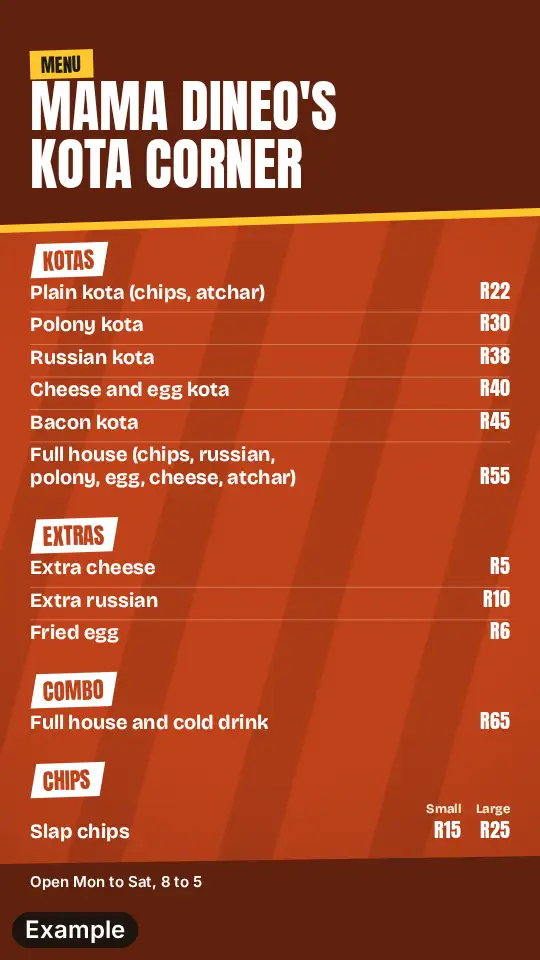 Kota menu
A kota is the other filled street food, with chips and polony in a quarter loaf, and it has its own menu.
 Roadhouse menu
Hot dogs, burgers and toasties from one counter are a roadhouse menu, in sections.