


What goes on a food truck menu
- 1A short list, in big letters
- A truck has one hatch and a queue, so the board is short: six to ten things. With few lines the maker draws them large, and they can be read from where the queue starts. If you sell twenty things, the board is not the place for all of them.
- 2Where you are and when
- A truck moves, so the board has to say where it is. Type it in the box for where you are and when you are open: the market or the corner, the day and the hours, in up to two rows. In the Truck board look it is drawn on a coloured strip along the foot.
- 3Change the strip each week
- When next week is a different market, open this page, change that one line and save a new picture. What you typed is kept in this browser on this device, so the menu is still there.
- 4The meal deal
- One deal is enough: a main, a side and a drink at one price. Give it a section of its own called "Meal deal" and write what is in it as the item name. One line then does the sum for the person ordering.
- 5Round prices
- Trucks take cash in a hurry, and round prices keep the change simple. That is your choice, not a rule: the picture draws whatever amount you type, cents included.
- 6Sold out
- When something runs out mid-service you cannot reprint a board. For Status, remove the line and save again. For the printed board, a strip of tape over the line does the job.
- 7Your number, for pre-orders
- If you take orders ahead for an event, add your phone number and tick "This number is on WhatsApp". It is drawn at the foot with the strip.
- 8A photo of the food, not the truck
- The picture is already your sign, so use the one photo for food: one roll or burger in the hand, in daylight, with the background out of focus. Post the truck itself as a separate photo beside it.
Food truck menu board design ideas
Six ways one food truck menu can look: a board under an awning in three colour sets, a loud red one, a chalk A-board and a plain green one. Tap a picture to start from it.
- Truck board look, tall shape
- Truck board is the board beside the hatch: black, under a striped awning in the colour of your truck, with a short list in capitals. The strip along the foot is for where you are parked and when.
- Burger bar look in red and yellow, tall shape
- Red and yellow with a row of checks is as loud as a truck wrap. It suits a truck that sells burgers and rolls and wants to be seen across a field.
- Chalkboard, square
- A chalk A-board on a square, like the one stood on the grass in front of the truck. Good for a post on the morning of a market.
- Truck board look in black and coral, square
- The same board with a coral awning. Pick the colour set nearest your own truck, so the picture and the truck look like one business.
- Truck board look in navy and yellow, A4 to print
- Navy with a yellow awning, on A4. Print it, slip it into a plastic sleeve and tape it beside the hatch.
- Kasi look in green, tall shape
- Kasi in green is flat colour with tilted white tabs. It is the plain one, for a stall that wants its menu readable from the back of the queue.
A truck board, step by step
The example has four sections and nine lines. "From the grill" has a smash burger, a pulled pork roll, a boerewors roll and a chicken wrap. Sides has loaded fries and chips. "Meal deal" is one line with what the deal holds. Drinks has two lines. The strip at the foot names a market for Saturday and another spot for Sunday, with the hours of each.
Tips
- Ten lines at most. Cut the list before you shrink the letters.
- Put the day before the place in the strip: "Sat: the school market, 9 to 2".
- Name the deal by what is in it, not by a clever name nobody can order.
- Check the printed board from ten steps back, where the queue ends.
- Save one picture for each regular spot, so the right one is ready to post on the day.
Sizes and printing
- Tall, for WhatsApp Status
- Tall like a phone screen. Best for WhatsApp Status and for Stories.
- Square, for a post
- Square. Best for a post on Facebook or Instagram.
- Printer page (A4)
- A4 is the size of a normal printer page. Print it at home or at a print shop. A home printer leaves a thin white edge.
- Half page (A5)
- A5 is half of a normal printer page. Good for a counter. A home printer leaves a thin white edge.
Questions
- How do I show where the truck will be this week?
- Type it in the box for where you are and when you are open. It takes up to two rows, and in the Truck board look it is drawn on a coloured strip along the foot of the board.
- Can I list a different place for each day of the week?
- Two rows fit, so two or three places if you keep them short. For a full week of stops, make one picture for each stop.
- Can I match the colours of my truck?
- You choose from the colour sets of each look: the Truck board has lime, coral and navy with yellow. You cannot type in a colour of your own.
- How many items fit on the board?
- A food truck board reads well with ten or fewer. The tall shape holds up to 30 lines and a square 16, and the type gets smaller as the list grows.
- Can I add card or cash only?
- Yes, as words in the same box as your place and hours, if there is room in its two rows.
What you type is kept in this browser on this device until you clear your browser data, so you can come back, change a price and save a new picture. A photo and a logo are optional and are not kept for the next visit.
Closest to this one
 Burger menu
A burger truck with singles, doubles and add-ons has more lines than a truck board wants: the burger menu holds them.
 Coffee shop menu
Serving espresso from the hatch? Cup sizes in two columns are on the coffee board.
 Pizza menu
A pizza trailer has more to list than a truck board holds: each pizza in two sizes is on the pizza menu.
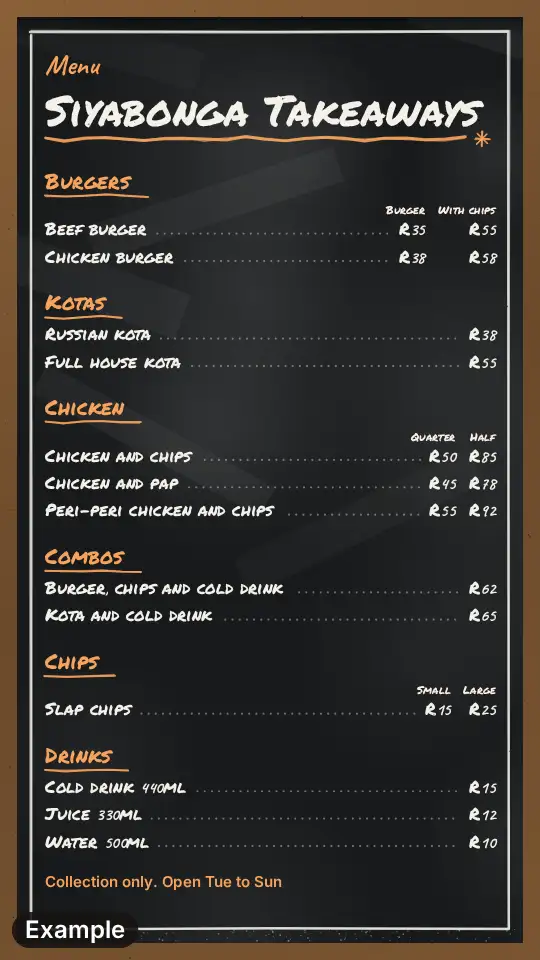 Takeaway menu
Parked in one spot all week, a truck is a takeaway, and can use the longer takeaway menu.