Seven things to do
- 1Know what Status is
- Status lets people and businesses share photos, videos, voice notes and text that last 24 hours. That suits a daily special: it goes by itself, so an old price does not hang around.
- 2Make the picture first
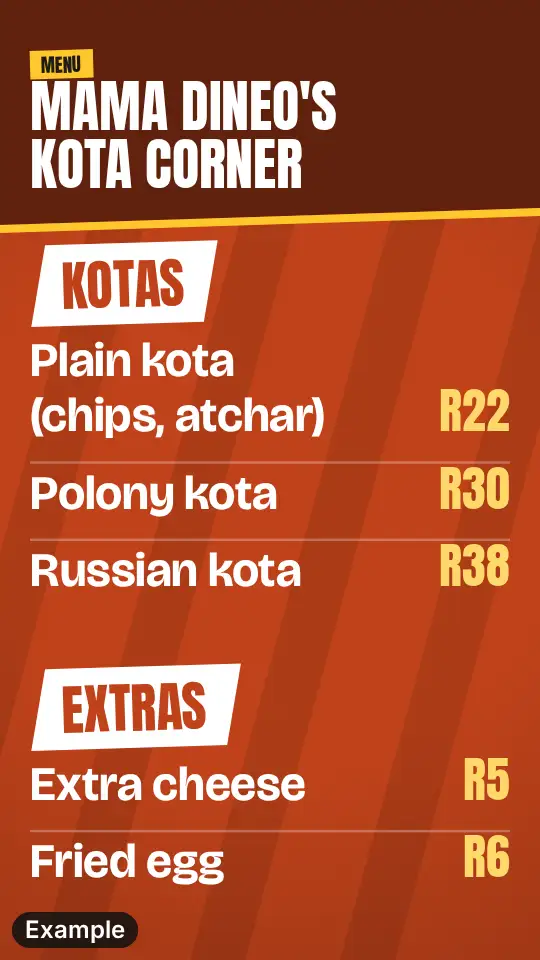
- One dish and one price in a clear picture beats a long message. Keep the words few and the price big. If you take a photo, shoot in daylight, from above, with the food filling the frame, and wipe the lens first. The picture maker on this site makes a menu, a price list or a special poster on your device, and nothing you type or add is uploaded.
- 3Post the saved picture as a Status
- Save the picture from the maker and post that file, rather than a screenshot of it, which also catches the buttons and bars of your screen. In WhatsApp, open the Status or Updates tab (the name changes between versions of the app), choose to add a Status, pick the saved picture from your gallery, and post it. The privacy setting for Status is where you choose who can see it, so check it before you post. Make the picture once and post it.
- 4Use the free Business app if you can
- The WhatsApp Business app is free to download. It lets you set up a business profile with your logo, description, hours, address and website. WhatsApp says customers look at a profile for hours, what you sell, where you deliver and how to order, so keep those up to date, especially changed hours.
- 5Save yourself typing
- The Business app has greeting messages for a new customer, away messages for outside your hours, and quick replies you send in a few taps. Good first quick replies for food: today's menu, prices, delivery area, hours and how to pay. Lists let you sort chats, for example "Ready for collection".
- 6Catalogue, Status or Channel
- A catalogue is a mobile storefront: your products with prices, grouped into collections. It suits a steady menu. For a daily special, Status is quicker. A Channel is one-way: people follow it and you send them texts, photos, videos and polls. It needs followers, so it is a bigger job.
- 7Message only people who asked
- Message only people who asked to hear from you, and stop when they ask. Never add people to a group or list without asking. WhatsApp's own business messaging policy says the same.
A checklist
- One dish, one price, one picture.
- A complete business profile: hours, address and number.
- A quick reply for the menu and prices.
- Post the day's special in the morning, and notice when people reply.
- Ask people to message you first, then save their number.
- Take down or replace anything out of date.
- Do not message anyone who has not asked to hear from you.
More templates
Sources
- WhatsApp Business: Status and Channels
- WhatsApp Business app: get started
- WhatsApp Business: a strong first impression
- WhatsApp Business: app features
- WhatsApp Business: busy season preparation
- WhatsApp Business: lists and quick replies
- WhatsApp Business messaging policy
Weekly Eats is not part of WhatsApp and is not approved by it. This guide is not legal advice.